


Category filter
Automate Device Management Tasks with Hexnode UEM
Quick Summary: The Automations feature in Hexnode UEM enables scheduled or event-triggered deployment of scripts, files, certificates, and restrictions. Unlike static Policies, Automations focus on the dynamic execution of operations based on time or device activity.
Platform Support Summary
| Platform | Support Status |
|---|---|
| Mobile | Android, iOS |
| Desktop | Windows, macOS, Linux |
| Others | tvOS, Zebra Printers |
1. Core Workflow: Creating an Automation
Phase 1: Initiation
- Navigate to Automate > New Automation.
- (Optional) Select Choose from templates for pre-configured workflows.
- Select the target Platform.
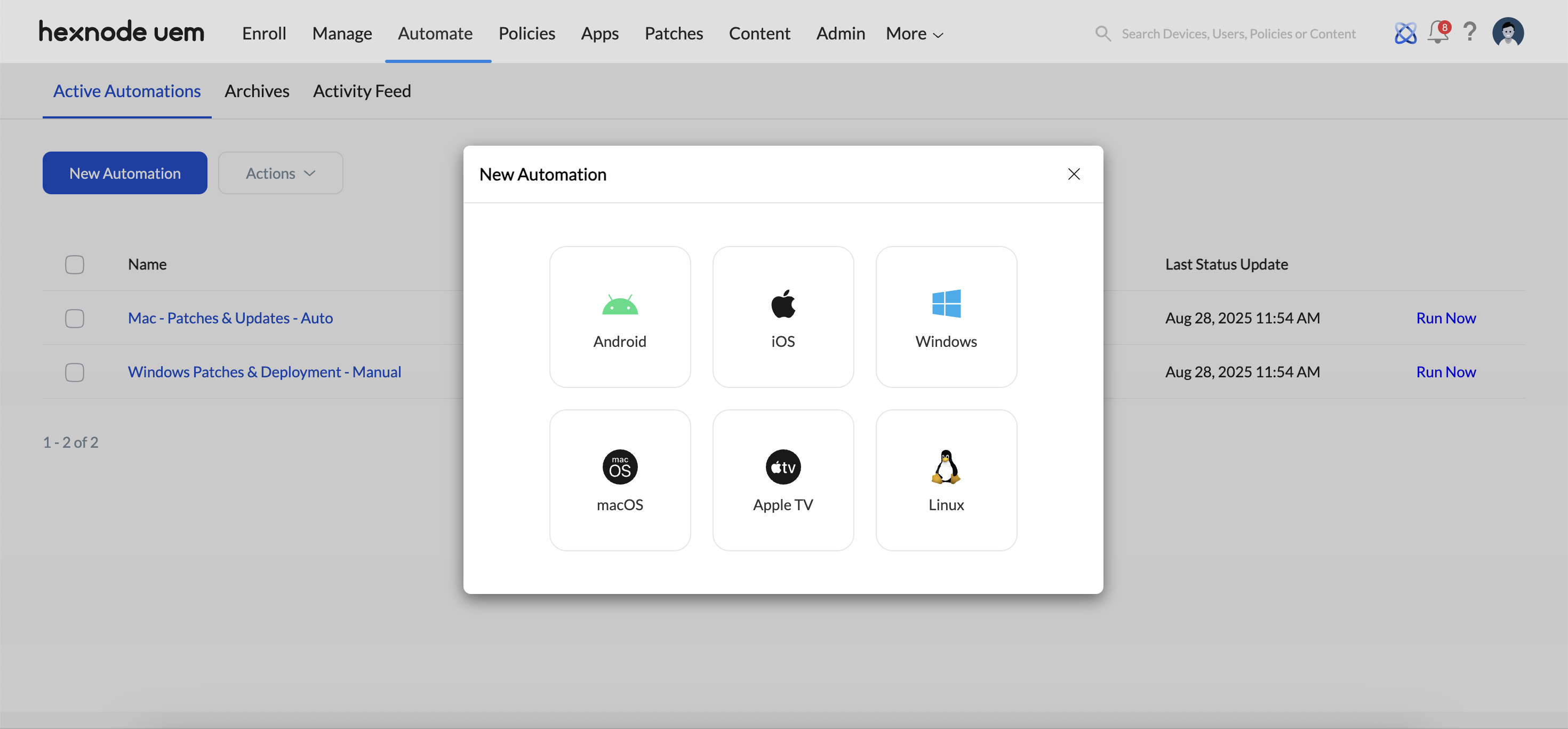
- Define Automation Name and Description.
Phase 2: Action Configuration
Choose the specific task to automate. Actions differ from “Remote Actions” as they are saved within a logic-based schedule rather than executed as a one-time command.
| Action Category | Supported Platforms | Key Capabilities |
|---|---|---|
| Patches/Updates | Windows, macOS | Auto or manual patching for security compliance. |
| App Distribution | Windows, macOS | Deploy Store and Enterprise apps with script handling. |
| Policy | All | Dynamically Associate or Remove specific policies. |
| Scripts | Windows, macOS, Linux, Zebra | Execute .ps1, .sh, .zpl, etc., from the repository. |
| Scans | All (except Apple TV) | Scan for Apps, Updates, Location, or Sync Local Accounts. The actions supported varies with OS platforms. |
| Alerts | All (except Apple TV, Linux, and Zebra printer) | Send custom messages to end-user devices. |
| Security | All | Lock, Wipe, Lost Mode, or Rotate Admin Passwords. The supported actions vary with OS platforms. |
| Kiosk | Android | Remotely activate/deactivate kiosk mode. |
| App Management | All | Install/Uninstall applications and request app feedback and remotely launch app. The actions supported varies with OS platforms. |
| Groups & Domains | Windows | Join/unjoin devices to/from an Active Directory domain. |
| Device Controls | All | Power Off, Restart, Rename, Set/Clear Password. The actions supported varies with OS platforms. |
| Network | iOS | Enable/Disable Data Roaming and Personal Hotspot. Also, remotely update eSIM. |
| User Controls | Windows, macOS, Linux | Create user accounts over the air. |
| Device Encryptions | Windows | Force BitLocker Encryption/Decryption, Unlock BitLocker, and Rotate BitLocker Recovery Password. |
| File Management | macOS, Android | Deploy/remove files from a specific location on devices. |
| Registry Configurations | Windows | Manage Windows Registry settings with 2 options: Registry Editor and Registry Snapshot. |
| Files | Zebra | Deploy fonts and templates to Zebra printers. |
| Updates | Zebra | Update firmware on Zebra printers. |
Multi-Action Sequencing
- Execution Order: A single automation can include multiple actions. Drag to reorder them and define the sequence in which they run on target devices.
- Time Delays: Insert customizable time delays between actions — ranging from 1 to 3600 seconds (1 hour) — to ensure each preceding action fully completes before the next one begins.
Phase 3: Settings and Schedule
Define when the automation triggers.
- Time-Based Triggers:
- ASAP: Immediate execution upon saving.
- Once: Specific MM/DD/YYYY and HH/MM.
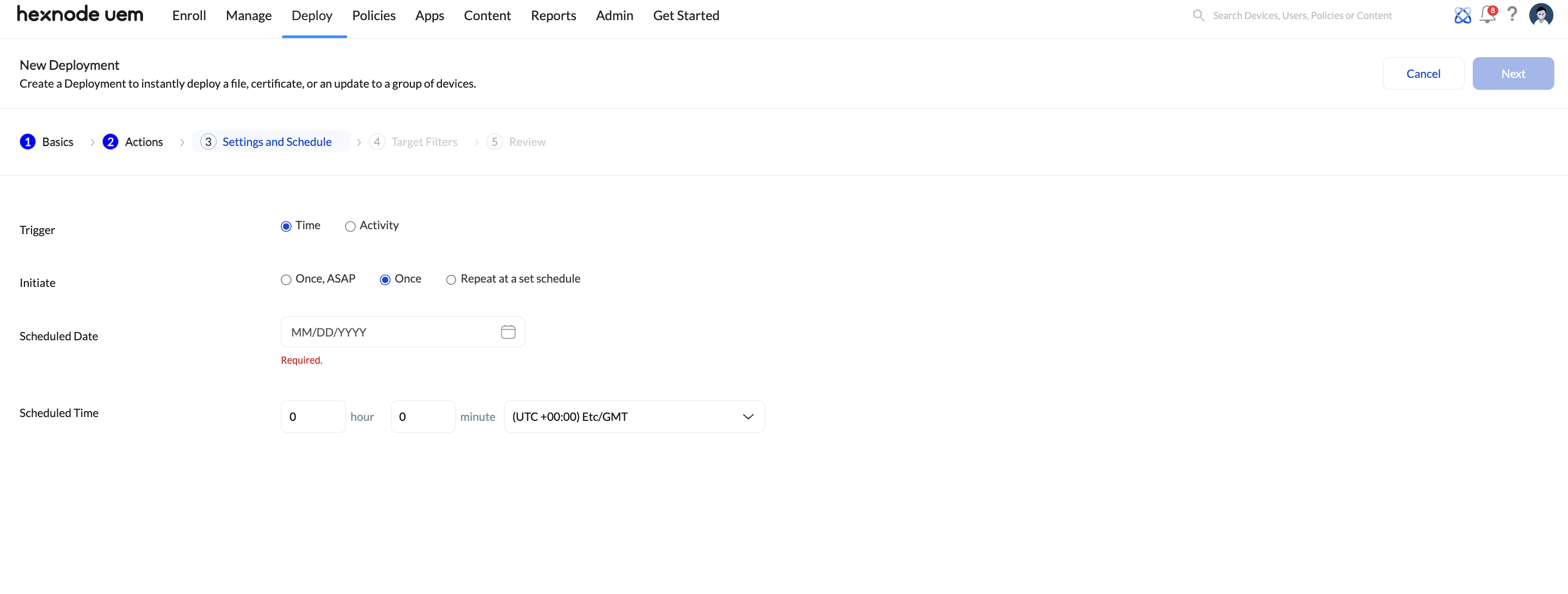
- Repeat: Daily, Selected Days, or Monthly.
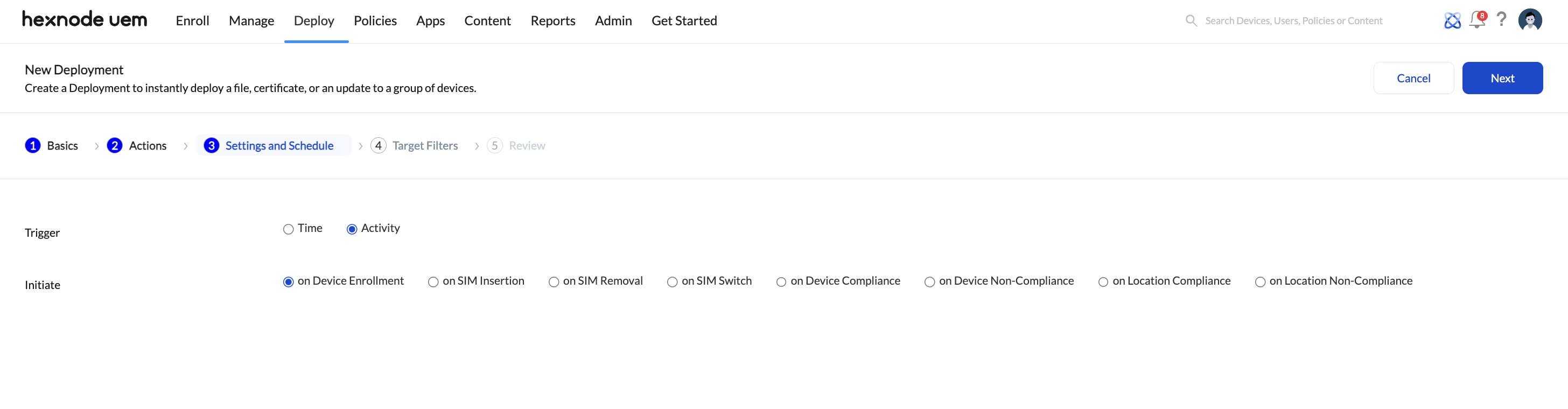
- Activity-Based Triggers:
- Enrollment: Execution upon initial device scan.
- SIM Status: Insertion, removal, or switching.
- Compliance: Device, Location (Geofencing) non-compliance. Create a compliance policy to define the device compliance criteria.
- Inactivity: Triggered when a device is offline for $X$ minutes (Android only). It can be used to initiate actions such as Lock Device, Enable Lost Mode, and Wipe Device.
Phase 4: Target Filtering
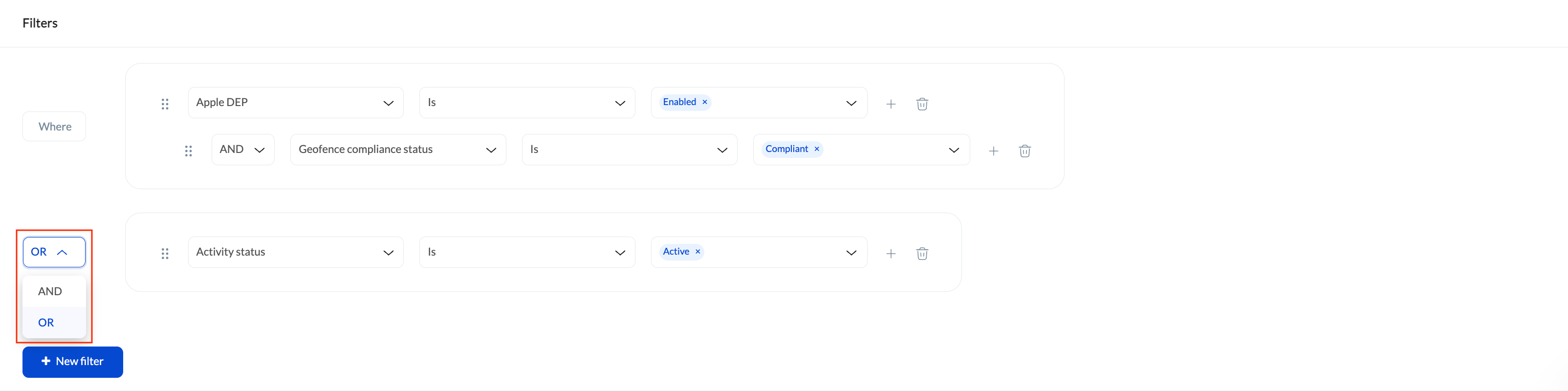
Narrow down the automation scope using Include/Exclude Groups or Custom Filters.
- Logic Operators: Use AND (must meet all criteria) or OR (must meet at least one).
- Filter Categories:
- Device: Model, Serial, OS Version, Battery Level, Storage.
- User: Username, Email, AD Department.
- Network: Wi-Fi SSID, IP Address, ICCID.
- Status: Rooted/Jailbroken, Lost Mode, Kiosk status.
Here’s the complete list of available filters
| Main category | Sub- categories |
|---|---|
| Device |
|
| User |
|
| Network |
|
| Device Status |
|
Phase 5: Review
Review the configurations. Click Save.
2. Managing the Automation Lifecycle
- Active Automations: Monitor status, versioning, and “Run Now” for manual overrides.
- Templates: Reusable workflows. Pre-configured templates by Hexnode are system-protected.
- Archives: Repository for disabled automations; allows for restoration or permanent deletion.
- Activity Feed: A chronological log of every automation event across the fleet.
Frequently Asked Questions
What is the difference between Hexnode Automations and Policies?
Policies define static settings and restrictions. Automations are used for scheduling and executing operations (like scripts or scans) based on specific time intervals or device triggers.
What are the pre-requisites for automating script execution on macOS devices?
Script automation is supported on devices running macOS 10.11 or later and requires the Hexnode Agent app version 1.2 or above.
What are the pre-requisites for automating script execution on Windows devices?
Script automation on Windows is supported on Windows 10 and 11 (Pro, Enterprise, and Education editions) installed with the Hexnode Agent version 4.2.2 or later.
What are the pre-requisites for automating script execution on Linux devices?
Script automation on Linux is supported on Debian, Fedora and Ubuntu devices with Hexnode Agent app installed on the device.
What are the pre-requisites for automating script execution on Zebra devices?
Script automation on Zebra printers is supported on devices running Link-OS (typically 5.0 or later)
Is Scan device action supported on all OS platforms?
Scan Device action is available across all platforms, except Apple TV.
Is Sync Local Accounts action supported on all OS platforms?
Sync Local Accounts action is available only for Windows, Linux and macOS devices. The action requires the latest version of the Hexnode UEM app to be installed on the device.
Is Scan Device Location action supported on all OS platforms?
Scan Device Location action is available for all platforms, except Linux, Apple TV, and Zebra printer.
Is Scan for Apps action supported on all OS platforms?
Scan for Apps action is available across all platforms, except Zebra printer.
Is Scan for Updates action supported on all OS platforms?
Scan for Updates action is available only for Windows devices.
Is Power Off action supported on all OS platforms?
Power Off action is supported on all platforms, except Apple TV.
Is Restart Device action supported on all OS platforms?
Restart Device action is supported on all platforms.
Is Change Owner/Set Friendly Name/Change Ownership actions supported on all OS platforms?
Change Owner, Set Friendly Name and Change Ownership actions is supported on all platforms, except Zebra printer.
Is Change Ringtone action supported on all OS platforms?
Change Ringtone action is supported on all Android devices, except Android TV.
Is Rename Device action supported on all OS platforms?
Rename Device action is supported only on iOS and Windows.
Is Set Password/Import Contacts Actions supported on all OS platforms?
Set Password and Import Contacts actions is supported only on Android.
Is Clear Media action supported on all OS platforms?
Clear Media action is supported only on iOS.
Is Clear Password action supported on all OS platforms?
Clear Password action is supported only on Android and iOS.
Is Update OS action supported on all OS platforms
Update OS action is supported on all platforms, except Windows, and Zebra printer.
Is Clear App Data action supported on all OS platforms?
Clear App Data action is supported only on Android.
Is Clear Activation Lock action supported on all OS platforms?
Clear Activation Lock action is supported only on iOS and macOS.
Is Lock Device action supported on all OS platforms?
Lock Device action is supported on all platforms, except Apple TV, and Zebra printer.
Is Enable/Disable Lost Mode action supported on all OS platforms?
Enable/Disable Lost Mode actions is supported only on Android, iOS and Windows.
Is Wipe Device action supported on all OS platforms?
Wipe Device action is supported on all platforms, except Zebra printer.
Is Rotate Local Admin Password action supported on all OS platforms?
Rotate Local Admin Password remote action is supported only on Windows devices that have a LAPS policy associated with it.
Is Remote Ring action supported on all OS platforms?
Remote Ring is supported only on Android and iOS.
Is Enable/Disable Location Tracking action supported on all OS platforms?
Enable Location Tracking and Disable Location Tracking actions are supported only on Co-managed Windows devices.
Is Grant Secure Token and Hexnode App logs actions supported on all OS platforms?
Grant Secure Token and Hexnode App logs actions are supported only for macOS devices.
Is Request Bug Report action supported on all OS platforms?
Request Bug Report action is supported only for Android devices.
Is Request Application Feedback and Remote App Launch actions supported on all OS platforms?
Request Application Feedback and Remote App Launch actions are supported only on Android devices.
Which platforms support Hexnode Automations?
Automations are supported on Android, iOS, Windows, macOS, Linux, tvOS, and Zebra printers. The support for each action varies with OS platforms.


